
Symptom
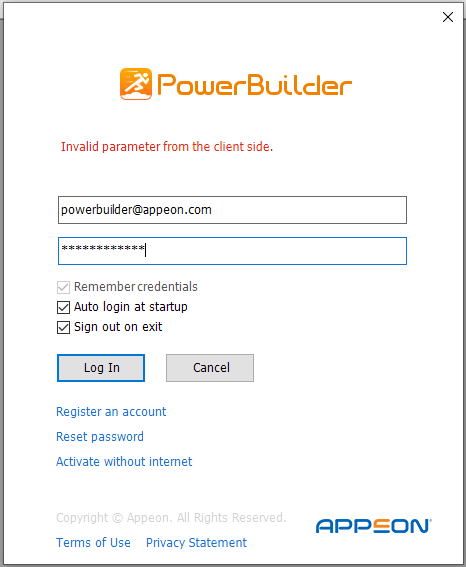
PowerBuilder/InfoMaker reports the error “Invalid parameter from the client side” when you log in after installation of .NET 8. On environments where the .NET 10 Runtime exists, the IDE cannot start properly after installation. No window is displayed, and only the process can be seen in Task Manager.
Environment
PowerBuilder 2022 R2 MR
InfoMaker 2022 R2 MR
Cause
There is a compatibility issue between the latest .NET 8/.NET 10 runtimes and the .NET 6 runtime used by PowerBuilder/InfoMaker.
Resolution
You can work around this issue using the following solution.
Resolution 1
This compatibility issue has been solved in 2022 R3. You can consider upgrading to 2022 R3 to get the fix.
Resolution 2
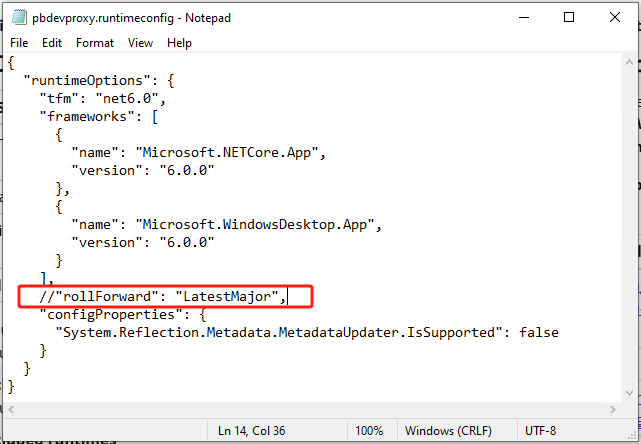
1. Please find the pbdevproxy.runtimeconfig.json file in <Drive>:\Program Files (x86)\Appeon\PowerBuilder 22.0\IDE if you are using PowerBuilder, and in <Drive>:\Program Files (x86)\Appeon\InfoMaker 22.0\IDE if you are using InfoMaker.
2. Comment out the following line in this JSON file.
//"rollForward": "LatestMajor",
3. Restart the IDE.
Note: You do not need to uninstall .NET 8/.NET 10.